
- Delivered is not confirmed
- You cannot name who is outstanding
- Chasing means sending it to everybody again
- Anyone with no company email was never in the audience
Everything it does. And what each one will not do.
Every capability that is in the product today, the limit it comes with, and the page that explains it properly. Nothing here is on the roadmap — roadmap items are on the pricing page, marked as such, and nowhere else.
79 of the 81 carry a stated limit, printed under the capability rather than left for you to find out later.
- Capabilities81
- With a stated limit79
- On the roadmap0
Counted at build time. A capability cannot appear here unless the ledger records it as shipped, with a sentence we are allowed to publish.
You sent it. That is all you actually know.
Every organisation has a message that has to reach everybody, and a moment later somebody asks whether it did.
- Each confirmation is against a person and a time
- You chase the 36, not the 214
- The people with no mailbox joined with a code
- Eight months later it still reconciles
Figures are a demonstration, not a customer. Kayden Connect is invitation-only before launch.
Four roles, and what each one actually gets.
Kayden Connect has four roles and no others. A ward lead, an HR manager and an auditor are jobs people do, never permissions the product grants.
- The workspace ownerSets the workspace up and owns the bill
Every row in the register, plus the ones nobody else can reach: the audit log, API keys, and permanent deletion.
Super Admin - The person who publishesWrites the announcement everyone has to read
Publishing to the whole workspace, the acknowledgement tracker, and the ability to chase the people still outstanding.
Comms Admin - The person who runs one SpaceLooks after a team, a site or a department
Their own Space and the people in it, without being handed the keys to the whole workspace.
Space Admin - Everyone elseReads it, confirms it, gets on with the job
The feed, the Knowledge Hub, chat and the directory — and a join route that works with no company email at all.
Employee
The register.
Grouped by area, and every row links to the page that explains it properly. 79 of the 81 carry a stated limit, printed under the capability rather than left for you to discover.
Showing 81 of 81.
| Capability | Who |
|---|---|
| AnnouncementsAnnouncements are available on Command and HQ, and can be sent by Super Admins and Comms Admins.Announcements are admin-only, so employees cannot create one on any tier, and they cannot be posted inside a Space. | Any member |
| Approval workflowsOn HQ, an active approval rule holds every new announcement unpublished until it clears the chain you configured. Each step can name the role that must sign it off, no one can approve their own submission, and every decision is recorded in the audit log.MANDATORY: approvals apply to Announcements only, so Updates, Wins and Space posts are never held, and exactly one approval rule is active per workspace at a time. A Super Admin can clear a step they were not designated for; the audit entry records it as an override. | Any member |
| Audience SegmentationCommand and HQ workspaces can build saved audiences from department, role, job title, Space membership, onboarding status and join date, combined with AND or OR, with a live member-count preview.Segments target pulse surveys today: an announcement can store a segment, but it does not yet limit who receives the announcement. 'Join date' means the date someone joined the workspace, not their hire date. | Any member |
| Catch-Up viewThe Catch-Up view shows what you missed since your last visit, including new posts, mentions and upcoming events, and it flags the announcements still waiting on your acknowledgment.The card labelled 'AI Summary' is a fixed sentence built from counts in code. No AI model is involved in Catch-Up. | Any member |
| Composer drafts (save, resume, duplicate)Anyone can save a post as a draft, reopen it in the composer, duplicate it, or delete it, on every plan.Drafts are private to their author, and a draft can only be published where its author could have posted directly, so employees can publish drafts into their Spaces, not to the global feed. | Any member |
| Content calendar (month view)Admins can see the workspace's posts laid out by day in a month view.MANDATORY: the calendar is read-only. It shows posts that already exist; it cannot schedule a post to publish later, and Kayden Connect has no scheduled publishing on any tier. | Any member |
| Content drafts, templates, and calendar surfacingHQ workspaces get a drafts list, reusable content templates, and a month-view content calendar in the admin console.MANDATORY: the calendar is a read-only month viewer. It displays what is already published and cannot schedule anything. There is also no 'save as draft' action in the composer; the drafts page manages drafts that exist, it does not create them. | Any member |
| Feed ordering guarantee (pinned first, then newest-first)Pinned posts hold the top of the feed; everything else appears newest-first, with no engagement scoring or re-ranking. | Any member |
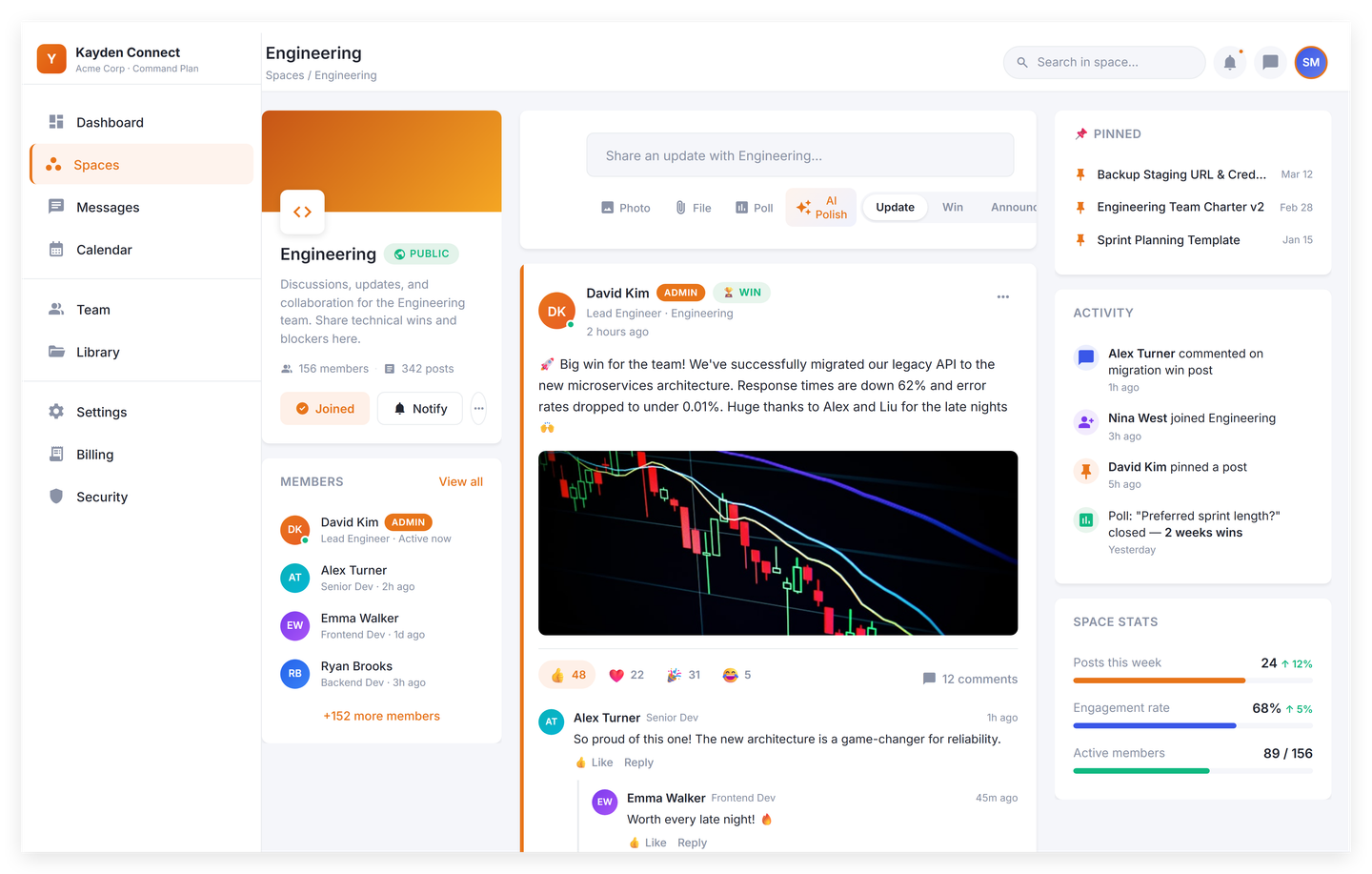
| V1 post types (Update, Win, Announcement)Posts come in three types, Update, Win and Announcement, and that set is fixed.Announcement is a Command-tier, admin-only type (see the `announcements` entry). Inside a Space only Update and Win can be posted; Announcements exist on the global feed only. | Any member |
| Video postsCommand and HQ workspaces can post video to the feed, transcoded by Mux with an automatic English caption track. There are 300 upload-minutes a month on Command and 600 on HQ.Video posting is admin-only (Super Admin / Comms Admin), and both the monthly upload minutes and total stored minutes are hard caps, not soft limits. | Any member |
| Who can publish to the global feedSuper Admins and Comms Admins publish to the company feed; every Space member can post Updates and Wins inside the Spaces they belong to.Employees cannot publish to the global company feed at all, only inside Spaces. | Admins |
| Capability | Who |
|---|---|
| Acknowledgment trackingAny post can require an acknowledgment, and admins see per-post acknowledgment counts against the workspace's active-user total.The acknowledgment tracker is visible to Super Admins and Comms Admins only. | Admins |
| Comprehension check before an acknowledgment is recordedA comprehension check can be attached to a post, and until the reader passes it their acknowledgment is not recorded; when they pass, the score is stored with the acknowledgment.The check is opt-in per post and a post without one is unaffected. It records which answers a person gave. It does not verify understanding, and Kayden Connect does not describe it as doing so. Readers may retry without limit and the best attempt counts. Attaching a check is limited to Super Admins and Comms Admins; having AI write the questions from the post additionally requires Command or HQ. | Admins |
| Capability | Who |
|---|---|
| Evidence pack for a requirementHQ workspaces can produce an evidence pack for a requirement that states the audience rules behind every figure, the population they were drawn from, a single as-at instant, the arithmetic in full, and the name of everybody counted in neither column.It declines to produce a document in one case rather than qualifying it: when the recorded population and the computed one disagree, it returns an error naming the reason. Every pack produced is recorded before the file is served, so a pack handed over months ago can be retrieved as it was. Requires HQ and an admin role, and is rate-limited. | Admins |
| Required readingAn admin can require a Knowledge Hub article to be read and confirmed by a targeted audience with a deadline, and see by name who has confirmed and who has not.Authoring, publishing, chasing and superseding are limited to Super Admins and Comms Admins; confirming is open to every member. The roster CSV export and the evidence pack additionally require HQ, and the coverage analytics require Command. Superseding creates a new requirement rather than editing the old one, so everybody in the audience must confirm again. | Admins |
| The roster, and the people it could not reachThe roster separates three groups rather than one total: the people who have confirmed, the people still outstanding, and the people who are in no audience at all, so a requirement targeted at departments cannot report full coverage while nobody has noticed the staff it never reached.Unreachable currently means one specific thing: the person has no department set. Confirmations by people who have since been deactivated stay in the confirmed count, so a figure already reported does not change when somebody leaves. | Admins |
| Capability | Who |
|---|---|
| Help Center searchKayden's own help articles are searchable from inside the app on every plan, and before signing in.This searches Kayden's product documentation, not your workspace's content. | Any member |
| Knowledge Hub (read + browse)Every plan includes a Knowledge Hub where employees can browse and read published articles organised into categories.Articles have no tags and no version history; 'version-controlled' and 'AI keeps it tagged and current' are not backed by the schema. | Any member |
| Knowledge Hub article authoringWorkspace admins and comms admins can write, edit, publish and delete Knowledge Hub articles with a rich-text editor and a cover image.Authoring is limited to the SUPER_ADMIN and COMMS_ADMIN roles. Regular employees and Space admins cannot create or edit articles on any plan. | Workspace owner |
| Knowledge Hub article limit (Spark 50 / Command + HQ uncapped)Spark workspaces can publish up to 50 Knowledge Hub articles of their own; Command and HQ have no article limit.The 50 is a ceiling on articles your team writes. Kayden does not supply any starter articles, and the hub starts empty. | Any member |
| Knowledge Hub article searchEvery plan can search Knowledge Hub articles by keyword across article titles and body text.Matching is case-insensitive substring matching on title and body. There is no relevance ranking beyond view count, no stemming, and no synonym handling. | Any member |
| Related articles on a Knowledge Hub articleEach Knowledge Hub article shows other popular articles from the same category.Related articles are chosen by category and view count. There is no content similarity or AI relatedness. | Any member |
| Capability | Who |
|---|---|
| AI Copilot (workspace assistant)Ask the AI Copilot a question and it answers from your workspace's Knowledge Hub articles, showing which articles it used. Available on Command and HQ.Retrieval is keyword-overlap scoring across the tenant's Knowledge Hub (top 5 articles), not semantic or vector search, so it only finds articles whose wording matches the question. It is user-initiated from a chat drawer. It does not watch the feed or surface anything on its own. | Any member |
| AI Copilot escalation to an adminWhen the assistant cannot answer from your articles, it offers to notify a workspace administrator and hands the question over.The handoff is an in-app notification to the workspace's super admin plus a pre-filled email link. There is no ticket, no queue, and no SLA tracking behind it. | Any member |
| AI Help Assistant (product help center)The Help Assistant on the in-app help center answers questions about using Kayden Connect and links the help article it drew from.This assistant reads Kayden Connect's own product help articles, not your workspace's content. The Knowledge Hub assistant is the separate AI Copilot. It shares the Command tier gate and the same monthly AI token allowance. | Any member |
| AI Polish (rewrite / shorten)Select text in the post composer or the article editor and AI Polish rewrites or shortens it, with a before-and-after diff you approve before it replaces your text. Available on Command and HQ.It rewrites text you have already written. It does not draft a post from a prompt or an outline. There are exactly two actions, 'polish' and 'shorten' (roughly half length); there is no tone selector and no brand-voice model. | Any member |
| AI Quiz GenerationAn admin can turn a Knowledge Hub article or an announcement into a three-question multiple-choice quiz in one click, then publish it for the team to take.Generation is limited to exactly three multiple-choice questions with four options each. There are no true/false or other question types, and no controls over length or difficulty. Only Super Admins and Comms Admins can generate, and the workspace must be on Command or HQ. | Admins |
| AI Translate (10 languages)Translate a post or a Knowledge Hub article into any of ten languages on every plan: English, French, Arabic, German, Spanish, Portuguese, Dutch, Swahili, Mandarin and Hindi.This is machine translation through Google Cloud Translation, not a generative model. A translation is shown on demand and is not saved to the post, and a translated Knowledge Hub article displays as plain text, losing its headings, lists and embedded blocks. | Any member |
| Automatic content moderation (text + image)Every post's text and images are checked automatically against Google's safety classifiers, and anything flagged is routed to an admin moderation queue.The check runs immediately after a post is published rather than before it appears, and it fails open: if the classifier is unavailable the post is treated as approved. | Any member |
| Monthly AI usage allowance per workspaceAI usage is included up to a monthly allowance per workspace: 50,000 tokens on Spark, 500,000 on Command, and 2,000,000 on HQ.The allowance is shared across Copilot, Polish, quiz generation and translation, and it resets on the calendar month in UTC rather than on your billing date. Once it is used up, AI requests return an error until the next month. There is no overage billing in V1. | Any member |
| Capability | Who |
|---|---|
| Archive a Space (reversible)Any workspace admin or Space admin can archive a Space on every plan, and archiving is reversible.Archiving hides the Space from the active list and frees a Space-cap slot; it does not delete its posts. | Workspace owner |
| Employee directoryEvery workspace gets an employee directory on every plan: each person has a profile with photo, bio, job title, department and who they report to, searchable by name.Search matches display name only, not job title, department or email, so it finds a person you can already name rather than answering 'who runs payroll?'. | Any member |
| Frontline access codes (email-less join)Workers without a company email can join a workspace by entering an admin-issued access code and their phone number, which is confirmed by a one-time SMS code.Codes are issued one per named worker and are single-use. This is not one shared code for a device, a shift, or a site. The SMS is a Firebase phone-verification code sent only to confirm the worker owns the number; Kayden never sends posts, announcements, or notifications by SMS. Verification SMS are capped per workspace per month. | Admins |
| Group chat conversationsChat supports one-to-one direct messages and multi-person group conversations.Chat runs on Firestore and is the only part of the product that does, so it is the one surface where the data-residency and retention story differs from the PostgreSQL core. | Any member |
| Notifications: in-app, push and emailNotifications reach people in three places on every plan: an in-app centre, push to mobile via Firebase Cloud Messaging, and email. Each notification type has a fixed priority that decides which channels fire, so urgent broadcasts push and email while reactions and new posts stay in-app.Email is opt-in per person and off until they switch it on; the one exception is the urgent tier, which nobody can opt out of. | Any member |
| Omni-Search (Cmd+K search across people, posts, Spaces, articles, quests and help)On Command and HQ, one search box finds people, posts, Spaces, Knowledge Hub articles, Academy quests and help articles by keyword.Search is keyword substring matching in PostgreSQL, not semantic or AI search, and it returns up to five results per source. | Any member |
| Org chartThe org chart draws your reporting lines from who reports to whom, on every plan, and every node opens that person's profile.Reporting lines are maintained by hand, so there is no HR-system sync in V1, and the chart loads a maximum of 500 people in one request. | Any member |
| Permanent (hard) Space deletionHQ workspaces can permanently delete a Space and purge its memberships; Spark and Command archive Spaces instead.Permanent deletion is irreversible and also requires workspace-admin or Space-admin rights, so the HQ plan alone does not grant it to every employee. | Any member |
| Space-linked chat threadsEach Space has its own chat thread, and membership follows the Space, so joining or leaving a Space adds or removes you from its conversation.Membership sync can drift and there is an admin reconcile route to repair it; lifecycle work such as auto-archiving a Space's thread when the Space is archived is not yet built. | Any member |
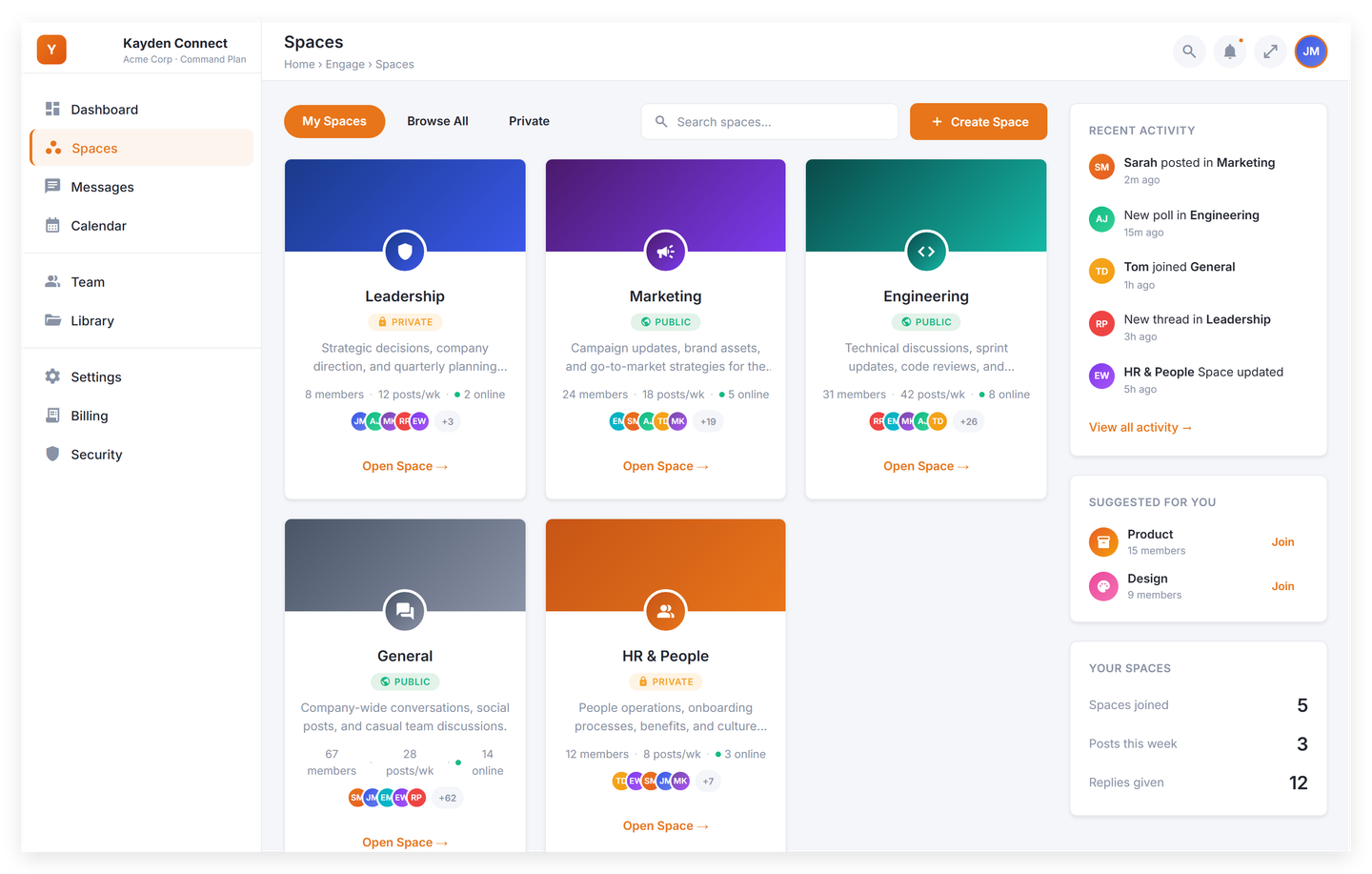
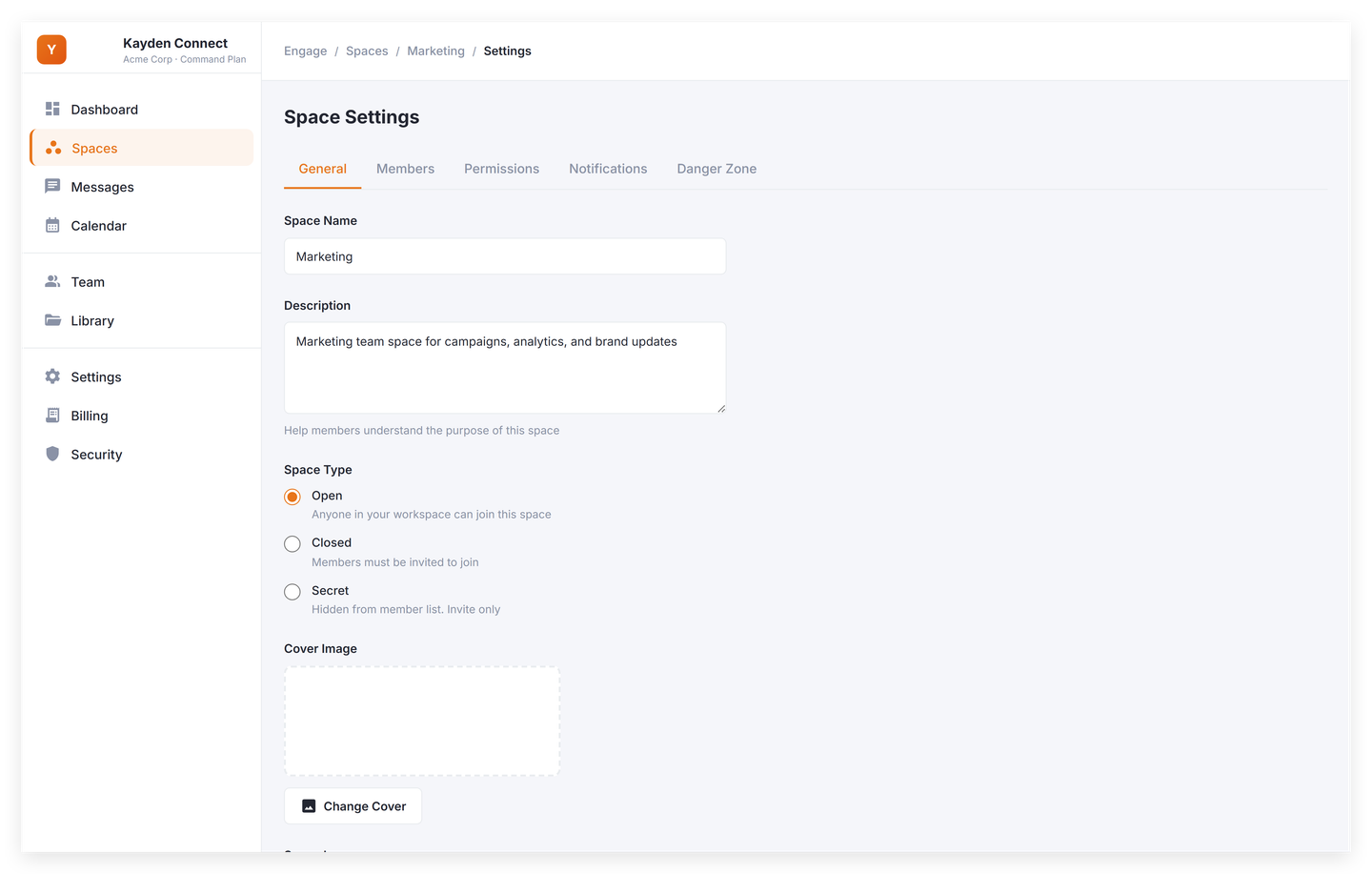
| SpacesOrganise your workspace into Spaces for departments, projects and interest groups, each with its own members and pinned posts.Spaces are public or private only. There is no third "secret" level, Spaces cannot be nested inside one another, and every member of a Space can post in it. | Any member |
| Unlimited Spaces (per-tier Space caps)Spark includes 5 active Spaces, Command 25, and HQ has no Space limit.The cap counts active Spaces only. Archiving a Space frees a slot, and archived Spaces are still readable. | Any member |
| Capability | Who |
|---|---|
| Event attendee rosterEvent organizers can see who has responded Going, Maybe or Declined for each event.This is an RSVP roster, not attendance. Nothing records whether a person who said Going actually turned up, and there are no per-event engagement reports. | Any member |
| Event calendar export (.ics)Any event can be downloaded as a standard .ics file and imported into Google Calendar, Apple Calendar or Outlook.This is a one-off file download, not calendar sync. Changing the event in Kayden Connect does not update a calendar entry a user already imported, and there is no two-way connection to any calendar account. | Any member |
| Events with RSVPCommand and HQ workspaces can create events with a title, description, location, start and end time, and an optional Space, and members can RSVP Going, Maybe or Declined.Only Super Admins and Comms Admins can create events. Reading the events list is also restricted to Command and HQ. Spark members see an upgrade wall, not an empty calendar. | Any member |
| Post-webinar recap emailsAfter a webinar is recorded, registered attendees receive a recap email with a link to the replay.The recap does not contain an AI summary, chapters or transcript, and it is sent by an hourly job rather than immediately when the session ends. | Any member |
| Webinar like-live VOD playback (viewer)A recorded webinar can be scheduled to air at a set time, and every viewer who joins starts at the same point in the video rather than at the beginning.MANDATORY: viewers cannot seek ahead of the shared playback position during an airing. That is the intended behaviour, not a limitation to hide, and buyers should hear it before they buy. | Any member |
| Webinar registration and attendanceMembers register for a webinar in the app, and organizers can see the registration list and who actually joined the session.Registration is for signed-in members of the workspace only. There is no public or external registration page for a webinar. | Any member |
| Webinar reminder emails (24h and 1h)Registered attendees receive an email reminder about 24 hours before a webinar and again about an hour before it starts.The reminder times are fixed at roughly 24 hours and 1 hour; organizers cannot configure the schedule. | Any member |
| Webinar replay (recorded live sessions)A webinar broadcast is recorded automatically, and once Mux finishes processing it the recording is available to replay in the app.This is the replay of a session that actually went live. Uploading a recorded video and scheduling it as a webinar is switched off. | Any member |
| Webinar VOD upload and airing configuration (admin)An admin on Command or above can upload a recording, then schedule it to air as a premiere, an evergreen session, or on demand.Requires the Command tier or above; Spark workspaces cannot create webinars at all. | Any member |
| Capability | Who |
|---|---|
| Anonymous survey responsesA pulse survey can be marked anonymous, in which case the server stores no respondent identity with the answers.Anonymity covers the answers, not the fact of answering: a separate participation record notes THAT a person responded and never what they said. Response rows still carry a workspace id and a submission timestamp, so a very small audience segment plus a timestamp remains a theoretical re-identification path. | Any member |
| Pulse SurveysCommand and HQ workspaces can run pulse surveys of up to 20 questions, using rating, free text, multiple choice, yes/no or an NPS scale alongside content blocks that ask nothing. Target them at a saved audience segment, repeat them monthly or quarterly as a named series, track response rate against audience size, and export responses as CSV.There are no ranking, matrix or branching questions, and a survey cannot change what it asks based on an earlier answer. A recurring series repeats monthly or quarterly only. | Any member |
| Capability | Who |
|---|---|
| Auto-generated insight highlightsThe executive dashboard highlights notable changes in the period as short written callouts, such as a large swing in posting volume or a low share of active seats.These callouts are produced by fixed thresholds on your own numbers, not by an AI model. | Any member |
| Content & Space analyticsCommand and HQ workspaces get per-post, per-Space and per-contributor breakdowns, Knowledge Hub article view counts, reaction-type mix and acknowledgment completion by department, exportable as CSV.'Views' are counted for Knowledge Hub articles only. Feed posts have no view or read tracking, so post-level performance is measured by reactions, comments and acknowledgments. | Any member |
| Engagement & Adoption analyticsEvery plan includes an engagement dashboard showing posts, comments, reactions and active users over time, broken down by Space and post type, with a top-contributor list.Visible only to Super Admins and Comms Admins. Space Admins and employees cannot open it. How far back you can look depends on your plan. | Workspace owner |
| Executive DashboardHQ workspaces get an executive dashboard showing seat activation, posts per department, and company-wide posting and engagement over time on one screen.Two of its tiles are approximations, not measurements: 'response time' is derived from the posts-to-comments ratio, and 'sentiment' is the share of reactions using positive emoji (see sentiment-signal and executive-response-time-proxy). | Any member |
| Executive dashboard insight calloutsThe executive dashboard turns the period's numbers into short written callouts covering post volume up or down, engagement trend and seat activity, alongside the charts.Callouts are produced from fixed thresholds in code (for example, posts up more than 10 percent), not by an AI model. | Admins |
| Sentiment signal (positive-reaction share)The executive dashboard shows what share of reactions in the period used positive emoji, as a rough mood signal.This is the share of reactions that use a positive emoji, workspace-wide. It is not NLP sentiment, not per-post, and not per-department (department reaction counts are hard-coded to 0). Everything that is not a positive emoji is bucketed as "Other", so negative reactions never read as negative. | Admins |
| Tiered analytics lookback window (7 / 90 / 365 days)Analytics can be viewed over a rolling window of up to 7 days on Spark, 90 days on Command and 365 days on HQ.This is a query window, not a retention policy. No underlying data is deleted when a window expires, and it is not a data-retention or archival commitment. | Any member |
| Capability | Who |
|---|---|
| API key issuance (admin)A workspace owner on HQ can create, scope, and revoke API keys from the admin console.Only the SUPER_ADMIN role can reach this. A Comms Admin gets a 403, unlike most other admin surfaces. | Workspace owner |
| API key management consoleHQ workspaces can create, scope, expire and revoke API keys from the admin console, with the full key shown once at creation.Key management is restricted to the Super Admin role. A Comms Admin on the HQ plan cannot see or issue keys. | Any member |
| API reference site (docs.kaydenconnect.com)The API reference is published publicly at docs.kaydenconnect.com and the raw OpenAPI specification is downloadable from that site.The reference documents the six read endpoints only, because those are the only endpoints that exist. | Any member |
| Audit LogHQ workspaces get an audit log of sign-ins, session revocations, password and two-factor changes, content changes, plan and billing events, member invites, deactivations and data exports, each with actor, action, timestamp, IP address and user agent, filterable by action, resource type and date range.Available on HQ only, and visible only to Super Admins and Comms Admins. It records administrative and account events, not content reads. There is no record of who viewed a given post or article. Sign-outs, role changes and Space permission changes are members of the action enum but have NO writer in shipping code, so they never appear in a real log; do not name them. Sign-in failures that Firebase Auth resolves before the request reaches us (unknown account, wrong password) are likewise absent. The LOGIN rows marked outcome 'denied' are tenant-policy refusals only. | Any member |
| Audit log append-only guaranteeThe application has no code path that edits an audit entry's actor, action, target or timestamp once it is written.This is an application-level property, not a storage guarantee. The database-level revoke that would enforce it independently of the application ships as migration 0067, and this repo carries no applied-state ledger, so whether it is in force on a given environment is verified per environment and is not asserted here. Separately: append-only is not tamper-evident. There is no hash chain, no cryptographic signing and no write-once storage, and the application role retains DELETE on the table for tenant purge, so this is not an immutability guarantee against a compromised platform operator. | Any member |
| Audit log CSV exportAudit entries can be exported to CSV for a chosen date range and filter, and each export is itself recorded in the audit log.A single export returns at most 5,000 rows and exports are limited to five per minute, so a full-year extract for a busy workspace takes several paged requests. | Any member |
| Email and password sign-inEmail and password sign-in is available on every plan. | Any member |
| Google and Microsoft single sign-onGoogle and Microsoft single sign-on are available on the Command and HQ plans.Not available on Spark. A Spark user who attempts a Google or Microsoft sign-in is refused at the session mint and must use email and password. | Any member |
| Installable web app (PWA)Kayden Connect installs to a phone's home screen from the browser and opens in its own window, with no app store and no device-management rollout.Installability only. There is no offline reading. With no connection an installed app shows a single fallback page rather than previously-read announcements. | Any member |
| Outbound webhooksHQ workspaces can register HTTPS endpoints that receive HMAC-SHA256-signed events when a post is created or a user is invited, with a delivery log in the admin console.Only two event types are emitted today, post.created and user.invited, and a failed delivery is recorded but not retried. | Workspace owner |
| Public REST API v1HQ workspaces can issue API keys and read posts, users, and Spaces over a REST API documented at docs.kaydenconnect.com.The API is read-only: it exposes GET on /posts, /users and /spaces, plus a by-id GET for each, and nothing else. Nothing can be created, updated or deleted through it. | Any member |
Learning and recognition
8| Capability | Who |
|---|---|
| Academy leaderboardAcademy includes a workspace learning leaderboard with rank, tier, weekly streak and an activity heatmap, on every plan.Individual visibility is opt-in and off by default. A new workspace's leaderboard shows nobody until people turn it on in their privacy settings. Do not imply an automatic company-wide ranking. | Any member |
| Academy learning analytics (admin)Admins can see workspace-level Academy analytics on every plan: quest completion and quiz results across the team.Restricted to Super Admins and Comms Admins; ordinary employees and managers cannot see it. | Admins |
| Academy learning paths (quests)Every workspace includes Academy: multi-step learning paths with per-step progress tracking, available to employees on all plans.Learners on every tier can take quests; creating and editing quests is limited to Super Admins and Comms Admins. Per-quest role targeting does not exist. The 'admin-tools' category is hidden from non-admins by a client-side category filter only, not by a server check. | Any member |
| Academy quizzes with server-side gradingAdmins can attach quizzes to Academy quests, and answers are graded on the server against a pass threshold.Taking a quiz and writing one by hand are available on every plan; only AI-generated quizzes require Command. | Any member |
| Core-value badge catalogueAdmins define a badge catalogue mapped to company values, and badges appear on member profiles and in the kudos wall; every new workspace starts with a default set.Members can only award CORE_VALUE badges that an admin has marked active. Milestone, onboarding and Academy badges are awarded by admins or by quest completion, not peer-to-peer. | Any member |
| Learning streaks with freeze tokensAcademy tracks a weekly learning streak for each member, with a small number of freezes that absorb a missed week without breaking the run.Streaks are WEEKLY, not daily, and count only Academy learning activity (quest steps and quiz attempts). Posting, commenting or chatting does not extend a streak. | Any member |
| Peer kudos wallAny member can give a teammate a kudos badge with a short message, and the kudos wall shows recognition across the workspace with filters by department, badge and date.Each member has a monthly award allowance, so kudos are deliberately limited rather than unlimited. Self-awarding is blocked. | Any member |
| Points ledgerKayden Connect awards points for completing Academy quests, passing quizzes, and receiving recognition badges, and each member can see their own points by track.Points are awarded by the system for those specific events. Admins cannot define custom point rules or hand out points manually, and points do not unlock or gate anything. | Any member |
| Capability | Who |
|---|---|
| Channel partner portalApproved channel partners sign in to a separate portal to track referrals and commissions, with payouts set up through Stripe Connect.The portal is for approved channel partners only, not for customers, and prod Cloud Run for partners.kaydenconnect.com is not yet provisioned. | Any member |
| Partner & influencer commissionsReferral partners earn a share of what the customers they refer actually pay, tracked in a commission ledger the partner can see and export at any time.Commission is calculated on the subscription amount excluding sales tax, and every payout is reviewed and approved before it is sent. The first payout cycle begins at general availability. | Any member |
| Partner application + review queueProspective partners apply through a form on the marketing site, and applications are reviewed and approved from the platform console.Review and approval is a Kayden-side founder operation, not something a customer workspace can do. | Any member |
One file that answers the question eight months later.
The evidence pack is the reason most of the register exists. It states its own basis of preparation and refuses to print a figure it cannot reconcile.
- Who confirmed, and whenEvery name against a timestamp, late confirmations marked late.
- Who did notStill outstanding at the moment the pack was drawn.
- Who was never askedPeople outside the audience, counted separately rather than folded in.
- What it will not tell youWhether anybody read it. The pack says so on its own face.
Exports as a printable report and a CSV. Every download is recorded against the requirement.
The limits, stated where a buyer will read them.
Every line traces to a caveat on a ledger entry, including the ones it would be easier to leave out.
- The content calendar
MANDATORY: the calendar is read-only. It shows posts that already exist; it cannot schedule a post to publish later, and Kayden Connect has no scheduled publishing on any tier.
- The audit log
This is an application-level property, not a storage guarantee. The database-level revoke that would enforce it independently of the application ships as migration 0067, and this repo carries no applied-state ledger, so whether it is in force on a given environment is verified per environment and is not asserted here. Separately: append-only is not tamper-evident. There is no hash chain, no cryptographic signing and no write-once storage, and the application role retains DELETE on the table for tenant purge, so this is not an immutability guarantee against a compromised platform operator.
- Translation
This is machine translation through Google Cloud Translation, not a generative model. A translation is shown on demand and is not saved to the post, and a translated Knowledge Hub article displays as plain text, losing its headings, lists and embedded blocks.
- The roster
Unreachable currently means one specific thing: the person has no department set. Confirmations by people who have since been deactivated stay in the confirmed count, so a figure already reported does not change when somebody leaves.
- SAML 2.0 SSO and SCIM 2.0 provisioningSAML 2.0 single sign-on and SCIM 2.0 user provisioning are not available today; both are planned for a release after launch.
The tiers are on the pricing page.
Deliberately not restated here. Pricing is one table, maintained in one place, and a second copy of it on this page would be a second thing to keep true.
Answered here, rather than on a call.
Why not Teams, Slack, or a WhatsApp group?
Those are good at conversation. The difference is the record: a named confirmation against a person and a time, and a list of who is still outstanding. The other half of the answer is that the people with no company email are usually not in those tools at all.
Why not email?
Because a mailbox is a prerequisite, and a large part of many workforces does not have one. Kayden Connect issues a single-use code that gets somebody in on their own phone, with no mailbox and no plan gate on the join route.
Where does our data live?
In europe-west1, Belgium, with EU regional endpoints for every AI call. The security page sets out the detail.
What happens to the intranet we already have?
The Knowledge Hub is where the policies and how-tos go. There is no automated importer — migration is founder-led, and the migration page describes what that involves.
What does setting up involve?
Bring your people in, make the Spaces, issue codes to anyone without a mailbox, publish the first announcement. We do not publish a time-to-value figure, because with no customers yet any number would be a guess dressed as a fact.
Are we locked in?
Each administrator can export their own account record from the app at any time, and the audit log exports to CSV. A workspace-wide archive is not built yet; today it is provided on request.
Check it against your own list.
Kayden Connect is invitation-only before launch. Tell us about your workforce and we will show you the demonstration workspace.
Request early access- 81 capabilitiesEvery one shipped, and derived from the ledger rather than written by hand.
- 79 with a stated limitPrinted on the row, not buried in a footnote.
- europe-west1Belgium. EU regional endpoints for every AI call.